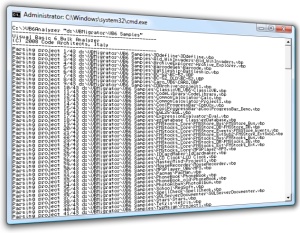
VB6 Bulk Analyzer is a command-line utility that gathers a lot
of information about all the VB6 projects and source files inside a specified directory
tree and then creates a concise but quite thorough report.
Using this tool is quite easy: just open a command window, move to the root of the
directory tree that contains all the VB6 source files that you want to parse, and
run the utility. Notice that VB6 Bulk Analyzer is a .NET application and is therefore
subject to .NET security settings. For this reason it is essential that you
store it on a local hard disk. (Running it from a network drive might
raise an exception when it attempts to read the VB6 source files or write the report.)
Being a .NET application, VB6 Bulk Analyzer requires that either Visual Studio 2005/2008
or the .NET Framework 2.0/3.5 be installed on the local computer.
If this isn't the case, you can download the .NET Framework from
here.
During the analysis, VB6 Bulk Analyzer displays the name of the files being parsed
and then a summary of all the code it has parsed. If you parse more than a few dozen
files, odds are that the relevant information will scroll away from the window,
but you also have a permanent copy in the file named VBAnalyser_Report.txt,
in the current directory.
The tool supports a few options too, such as /quiet for omitting
file names, /out to select a different report file, and /help
to display a short explanation. You can also specify multiple folder names,
in case your source code is scattered in directories that don't have a common root,
as in this example:
VB6ANALYZER c:\firstapp c:\secondapp /out:c:\report.txt
The report file contains much useful info, including:
- number of projects and source files, grouped by type
- statistics about the source code (code lines, empty and remark lines, etc.), number
of methods, properties, etc.
- statistics about ActiveX classes (grouped by their Instancing property, number of
MTS classes, etc.)
- all the type libraries used in all projects, with how many times the typelib is
referenced
- names of all used controls and components, with a count beside each control
- list of all the Declare definition, with number of occurrences of each declare
- list of problematic keywords (GoSub, On...Goto/Gosub, VarPtr, ObjPtr, StrPtr, etc.),
with number of times the keyword is used
- list of problematic data types (Variant, fixed-length strings, etc., with number
of times the keyword is used
- list of problematic control properties, methods, events (e.g. members related to
classic Drag-and-drop or DDE)
- list of problematic constants (e.g. adOpenDynamic and adOpenKeyset means that a
piece of ADO code can't be easily ported to ADO.NET)
- list of COM classes that are instantiated via CreateObjects
- list of OLEDB data providers explicitly mentioned in a connection string
VB6Analyzer is quite precise, especially if you consider that it doesn't really
interpret the VB6 source code. It uses plain regular expressons, yet it doesn't
suffer from "false matches" (eg. a keyword that appears in a remark or
in a quoted string). Regular expressions make it very fast: on a 3GHz system it
analyzes over 600K characters per second, or nearly 9,000 lines per second.
Remember to run VB6 Bulk Analyzer on your VB6 projects before contacting the VB
Migration Partner Team with questions related to technical or licensing issues.
We just added a specific field in our
Contact Us page to let you upload the report.